Control Flow in JavaScript: Making Decisions in Your Code

Aspiring Full Stack MERN Developer & DSA Enthusiast | Passionate about coding, problem-solving, and scalable web applications | Turning ideas into reality | JavaScript, React, Node.js — learning by building real-world projects 🚀
Programming is not just about writing instructions — it's also about making decisions. Just like in real life, programs often need to choose different actions based on certain conditions.
This concept is called control flow.
In this article, we will learn how JavaScript controls the flow of a program using:
ifif-elseelse ifswitch
All examples will be simple and beginner-friendly.
What Control Flow Means in Programming ?
Control flow determines which part of the code runs and when it runs.
A program normally runs line by line from top to bottom, but sometimes we need decisions.
Real-Life Example :
Imagine this situation:
If it is raining → take an umbrella
If it is sunny → wear sunglasses
Otherwise → go outside normally
This is exactly how control flow works in programming.
Example in JavaScript:
let isRaining = true;

if (isRaining) {
  console.log("Take an umbrella");
}
Step-by-Step Execution
JavaScript checks the condition
isRainingIf it is
trueThe code inside
{}runs
Output:
Take an umbrella
The if Statement
The if statement is used when we want code to run only if a condition is true.
Syntax
if (condition) {
  // code to run if condition is true
}
Example: Checking Age
let age = 18;

if (age >= 18) {
  console.log("You are eligible to vote");
}
Step-by-Step
JavaScript checks
age >= 18If it is true, the message is printed
If it is false, nothing happens
Output:
You are eligible to vote
The if-else Statement
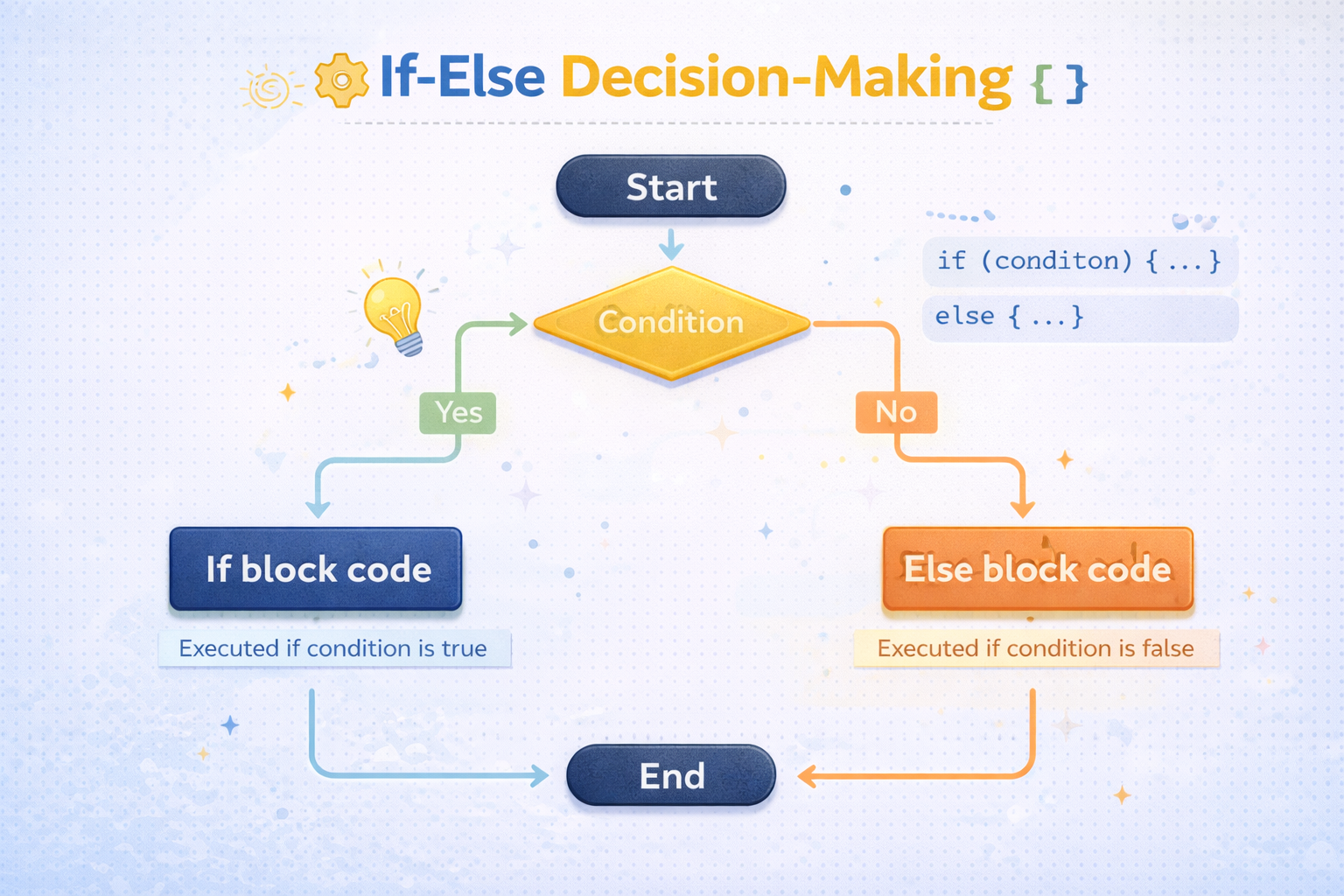
Sometimes we want two possible outcomes.
Example:
If marks ≥ 40 → Pass
Otherwise → Fail
This is where if-else is used.
Syntax
if (condition) {
  // code if true
} else {
  // code if false
}
Example
let marks = 35;

if (marks >= 40) {
  console.log("You passed the exam");
} else {
  console.log("You failed the exam");
}
Step-by-Step
JavaScript checks
marks >= 40If true → first block runs
If false →
elseblock runs
Output:
You failed the exam
The else if Ladder
Sometimes there are more than two conditions.
Example:
Marks ≥ 90 → Grade A
Marks ≥ 75 → Grade B
Marks ≥ 50 → Grade C
Otherwise → Fail
This is called an else-if ladder.
Syntax
if (condition1) {
  // code
} else if (condition2) {
  // code
} else if (condition3) {
  // code
} else {
  // default code
}
Example
let marks = 82;

if (marks >= 90) {
  console.log("Grade A");
} else if (marks >= 75) {
  console.log("Grade B");
} else if (marks >= 50) {
  console.log("Grade C");
} else {
  console.log("Fail");
}
How JavaScript Executes This
JavaScript checks from top to bottom.
1️⃣ Check marks >= 90 → false
2️⃣ Check marks >= 75 → true
So it prints:
Grade B
After a true condition is found, the rest are skipped.
The switch Statement
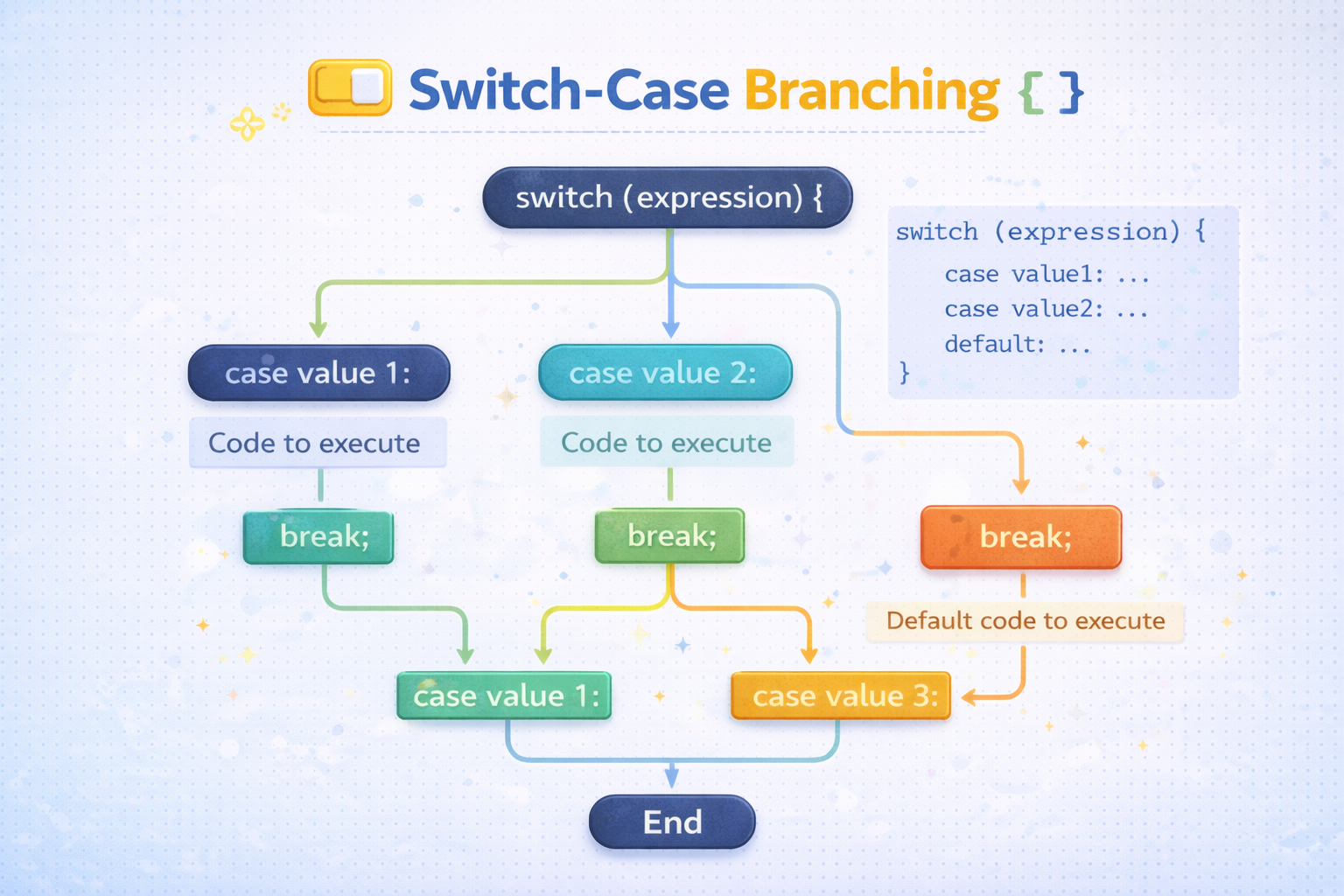
The switch statement is used when we want to check many possible values of the same variable.
Example: Day of the week.
Syntax
switch (value) {
  case option1:
    // code
    break;

  case option2:
    // code
    break;

  default:
    // code
}
Example: Day of the Week
let day = 3;

switch (day) {
  case 1:
    console.log("Monday");
    break;

  case 2:
    console.log("Tuesday");
    break;

  case 3:
    console.log("Wednesday");
    break;

  case 4:
    console.log("Thursday");
    break;

  default:
    console.log("Invalid day");
}
Output:
Wednesday
Why break Is Important
The break statement stops the switch execution.
Without break, JavaScript continues running the next cases.
Example without break:
let day = 2;

switch (day) {
  case 1:
    console.log("Monday");

  case 2:
    console.log("Tuesday");

  case 3:
    console.log("Wednesday");
}
Output:
Tuesday
Wednesday
This happens because there is no break to stop execution.
When to Use switch vs if-else
Use if-else |
Use switch |
|---|---|
| For complex conditions | For multiple fixed values |
When using comparisons (>, <, >=) |
When checking exact values |
| Flexible logic | Cleaner for many options |
Example
Good for if:
if (age >= 18) {
  console.log("Adult");
}
Good for switch:
switch(day) {
  case 1:
  case 2:
  case 3:
}
Practice Assignment
Try these exercises to practice control flow.
1️⃣ Program: Positive, Negative, or Zero
let num = -5;

if (num > 0) {
  console.log("Positive number");
} else if (num < 0) {
  console.log("Negative number");
} else {
  console.log("Zero");
}
Why if-else Was Used
We used if-else ladder because we are checking conditions using comparisons (>, <).
2️⃣ Program: Print Day of Week Using Switch
let day = 5;

switch (day) {
  case 1:
    console.log("Monday");
    break;

  case 2:
    console.log("Tuesday");
    break;

  case 3:
    console.log("Wednesday");
    break;

  case 4:
    console.log("Thursday");
    break;

  case 5:
    console.log("Friday");
    break;

  case 6:
    console.log("Saturday");
    break;

  case 7:
    console.log("Sunday");
    break;

  default:
    console.log("Invalid day");
}
Why switch Was Used
We used switch because we are comparing one variable (day) with many fixed values.
This makes the code cleaner and easier to read.
Final Thoughts
Control flow is one of the most important concepts in programming. It allows your program to make decisions and run different code depending on conditions.
Key things to remember:
if→ run code when condition is trueif-else→ two possible outcomeselse-if→ multiple conditionsswitch→ check many fixed values
Mastering these will help you write smarter and more dynamic JavaScript programs.


