The Working Mechanism of the DNS Resolution Process
Aspiring Full Stack MERN Developer & DSA Enthusiast | Passionate about coding, problem-solving, and scalable web applications | Turning ideas into reality | JavaScript, React, Node.js — learning by building real-world projects 🚀
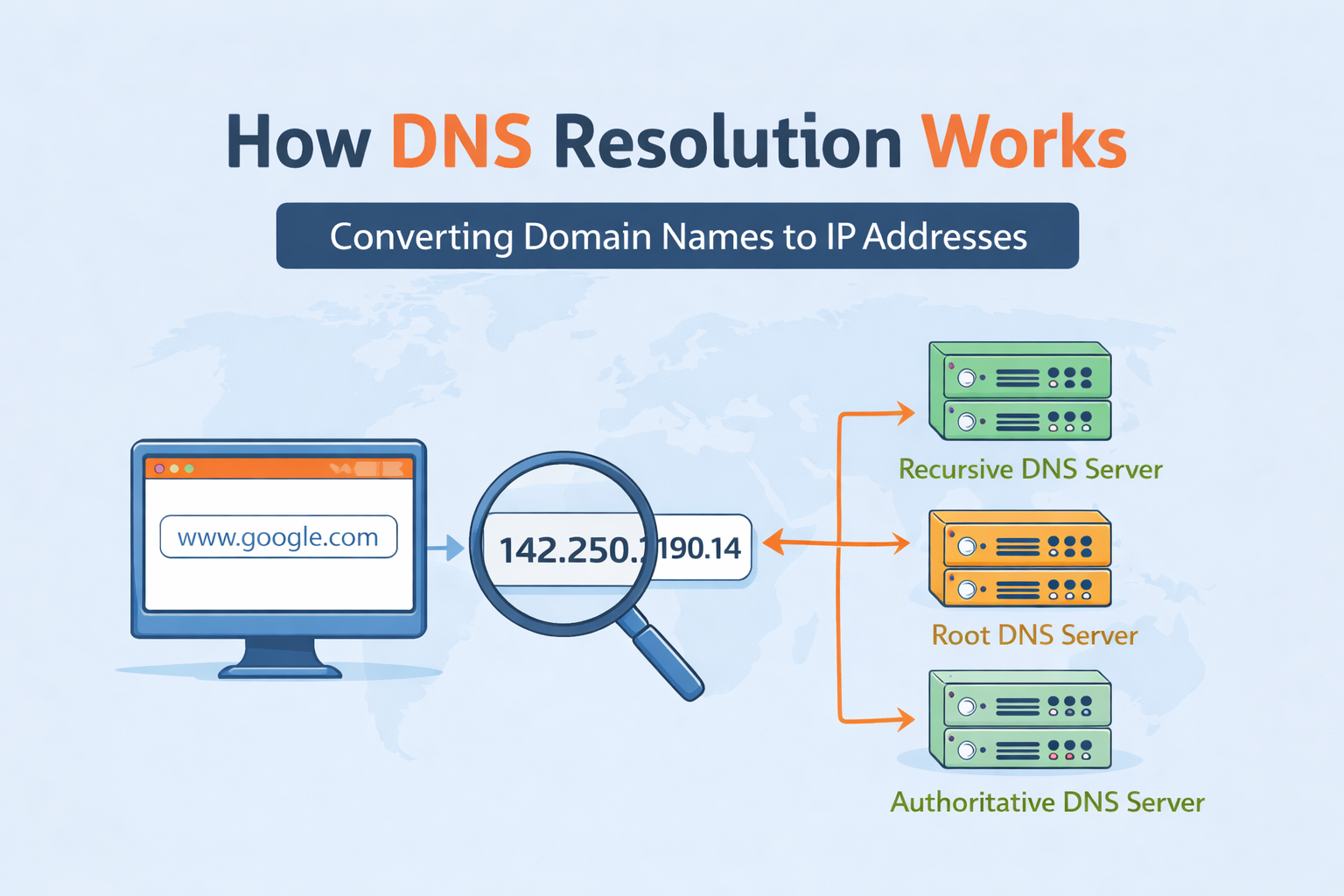
If the internet had a phonebook, DNS would be it.
Every time you type google.com into a browser, something has to translate that human-friendly name into an IP address that machines understand. That “something” is DNS resolution.
What Is DNS and Why Name Resolution Exists ?
Computers don’t understand names like google.com.
They understand IP addresses like 142.250.72.14.
Humans, on the other hand, are terrible at remembering numbers.
So DNS (Domain Name System) exists to bridge that gap:
DNS maps human-readable domain names to machine-readable IP addresses.
Without DNS, the web would be a giant spreadsheet of numbers—and nobody wants that.
DNS as the Internet’s Phonebook :
Think of DNS like this:
You know a person’s name (google.com)
You want their phone number (IP address)
You ask a system that knows where to look
DNS doesn’t store everything in one place.
Instead, it’s distributed and hierarchical, which is why it scales to the size of the internet.
What Is the dig Command and When It’s Used ?
dig (Domain Information Groper) is a DNS inspection tool.
You use it when:
Debugging DNS issues
Learning how name resolution works
Verifying which servers are authoritative
Understanding how a domain is resolved step by step
Unlike browsers, dig doesn’t hide complexity—it shows you everything.
DNS Resolution Happens in Layers :
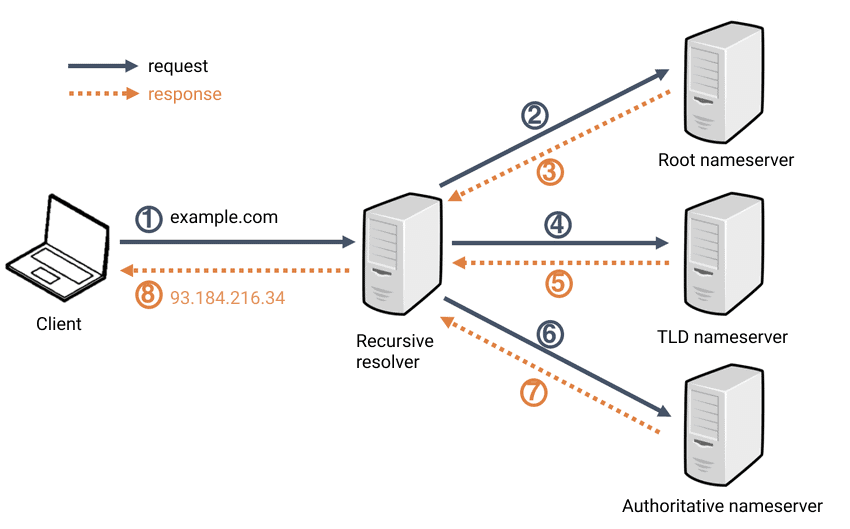
DNS works like a chain of referrals:
Root name servers
TLD (Top-Level Domain) name servers
Authoritative name servers
Each layer knows where to send you next.
Understanding dig . NS — Root Name Servers :
dig . NS
This asks:
“Who is responsible for the DNS root?”
The result is a list of root name servers (a.root-servers.net, b.root-servers.net, etc.).
Key idea:
Root servers don’t know IPs
They only know where TLDs live (.com, .org, .net)
They are the starting point of all DNS resolution.
Understanding dig com NS — TLD Name Servers :
dig com NS
This asks:
“Who handles domains ending in
.com?”
These TLD name servers don’t know Google’s IP either.
What they do know is which authoritative servers manage google.com.
Think of TLD servers as:
“I don’t have the answer, but I know who does.”
Understanding dig google.com NS — Authoritative Name Servers:
dig google.com NS
This tells us:
Which name servers are authoritative for google.com
These servers are the source of truth
Authoritative servers:
Store real DNS records (A, AAAA, MX, TXT)
Give final, trusted answers
If DNS were a company:
Root = receptionist
TLD = department directory
Authoritative = actual team with the data
Understanding dig google.com — Full DNS Resolution Flow :
dig google.com
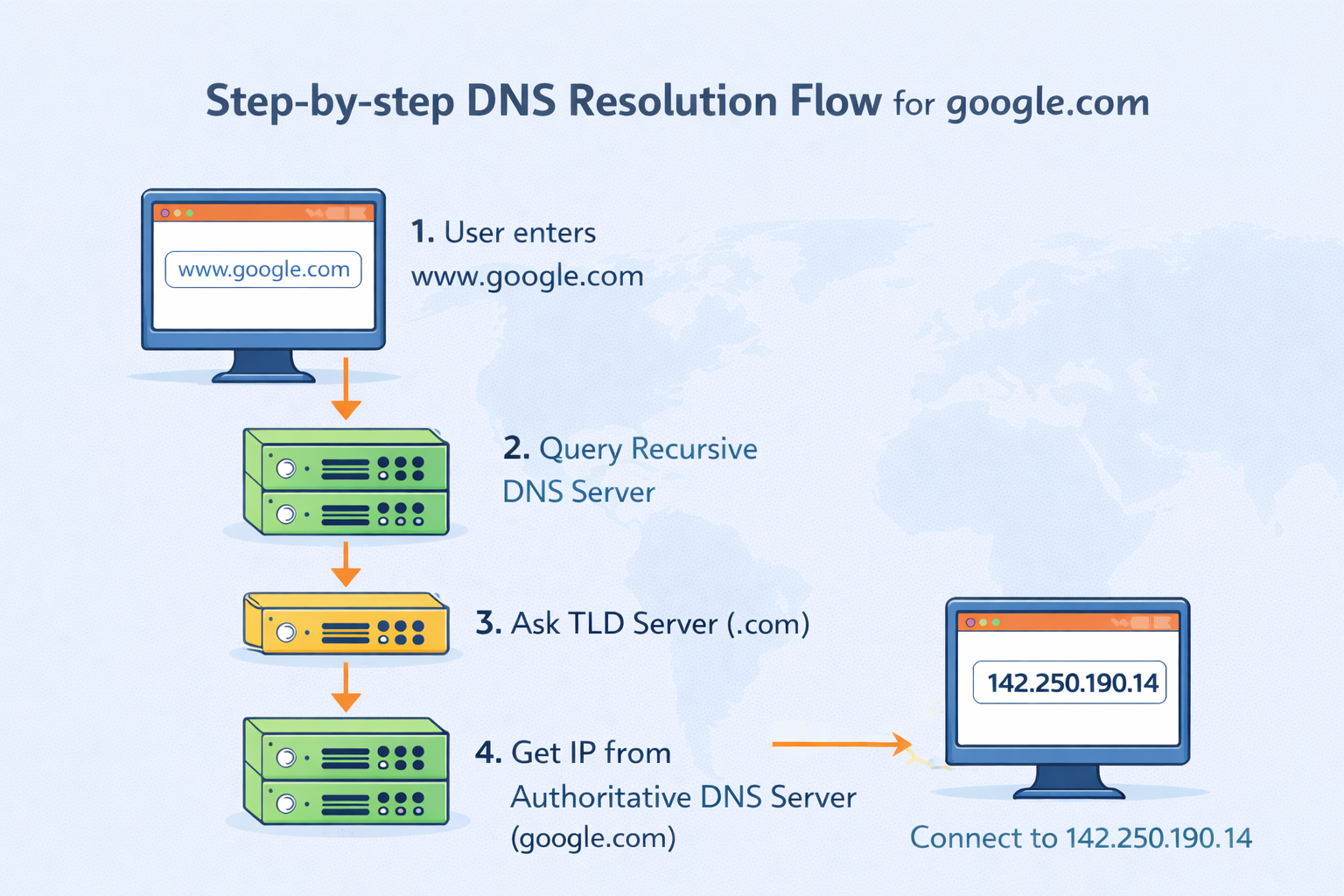
This returns the A record (or AAAA for IPv6):
The actual IP address your browser needs.
Behind the scenes, a recursive resolver has already done the work:
Asked the root servers
Asked the
.comTLD serversAsked Google’s authoritative servers
Cached the result for speed
How Recursive Resolvers Fit In ?
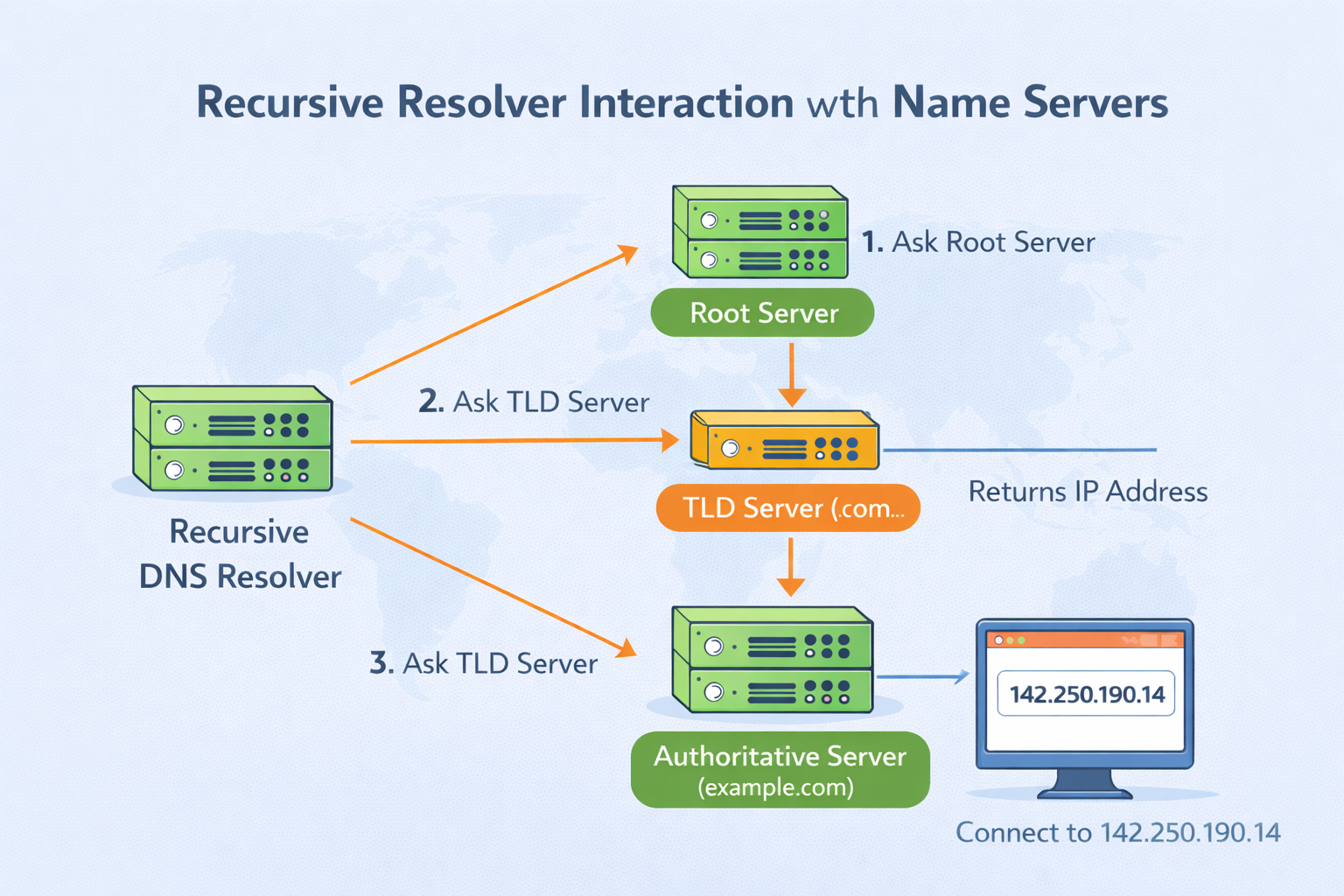
You usually don’t talk to root or TLD servers directly.
Instead:[
Your device queries a recursive resolver
Often run by your ISP, company, or public DNS providers
It handles the full lookup on your behalf
Why this matters:
Caching reduces latency
Load is reduced on root and TLD servers
DNS stays fast and scalable
Mapping dig Commands to DNS Lookup Stages :
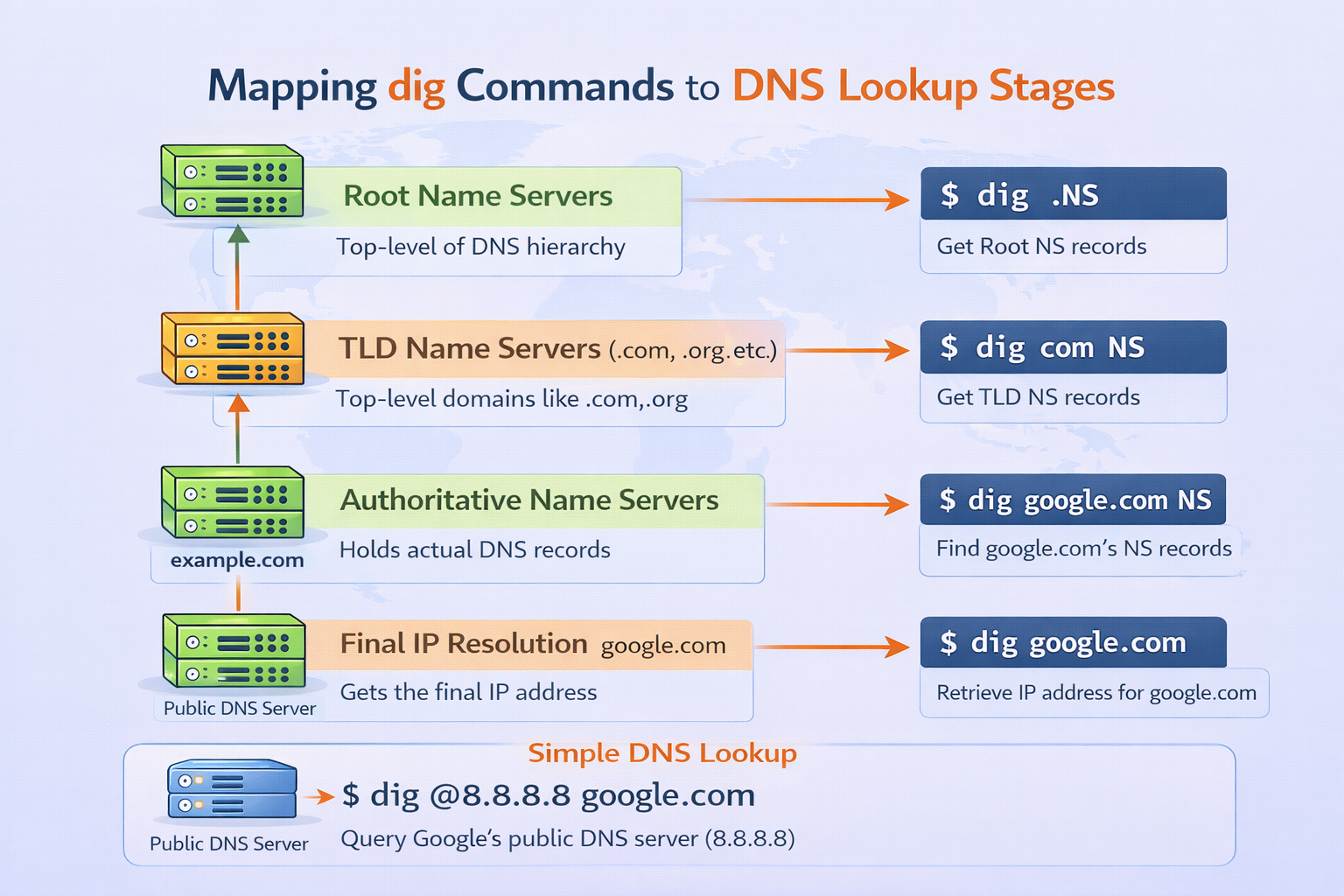
| dig Command | DNS Layer |
dig . NS | Root name servers |
dig com NS | TLD name servers |
dig google.com NS | Authoritative name servers |
dig google.com | Final IP resolution |
Real-World Browser Requests :
When you open a browser and type google.com:
Browser checks local cache
OS checks DNS cache
Recursive resolver is queried
Resolver walks the DNS hierarchy (if needed)
IP address is returned
Browser connects via TCP/HTTPS
DNS is invisible—but without it, nothing on the internet works.


