JavaScript Array Methods Explained for Beginners
When you start learning JavaScript, arrays become one of the most important data structures you will work with. JavaScript provides several built-in methods that make working with arrays easier and cleaner compared to traditional loops.
In this blog, we will explore some essential array methods step-by-step:
push() and pop()
shift() and unshift()
map()
filter()
reduce() (basic understanding)
forEach()
Each method will be explained with simple practical examples so that you can easily try them in your browser console.
push() and pop()
These methods are used to add or remove elements from the end of an array.
push()
push() adds a new element to the end of an array.
Before:
let fruits = ["Apple", "Banana"];
Code:
fruits.push("Mango");
After:
["Apple", "Banana", "Mango"]
So push() simply adds an element at the end.
pop()
pop() removes the last element from an array.
Before:
let fruits = ["Apple", "Banana", "Mango"];
Code:
fruits.pop();
After:
["Apple", "Banana"]
The last element ("Mango") is removed.
shift() and unshift()
These methods work on the beginning of the array.
shift()
shift() removes the first element of the array.
Before:
let numbers = [10, 20, 30];
Code:
numbers.shift();
After:
[20, 30]
The first element 10 is removed.
unshift()
unshift() adds an element to the beginning of the array.
Before:
let numbers = [20, 30];
Code:
numbers.unshift(10);
After:
[10, 20, 30]
Now 10 is added to the start.
forEach()
forEach() runs a function for every element in the array.
It is commonly used when you want to perform an action for each item.
Example:
let numbers = [1, 2, 3];

numbers.forEach(function(num) {
  console.log(num);
});
Output in console:
1
2
3
Important note: forEach() does not create a new array. It simply runs a function for each element.
map()
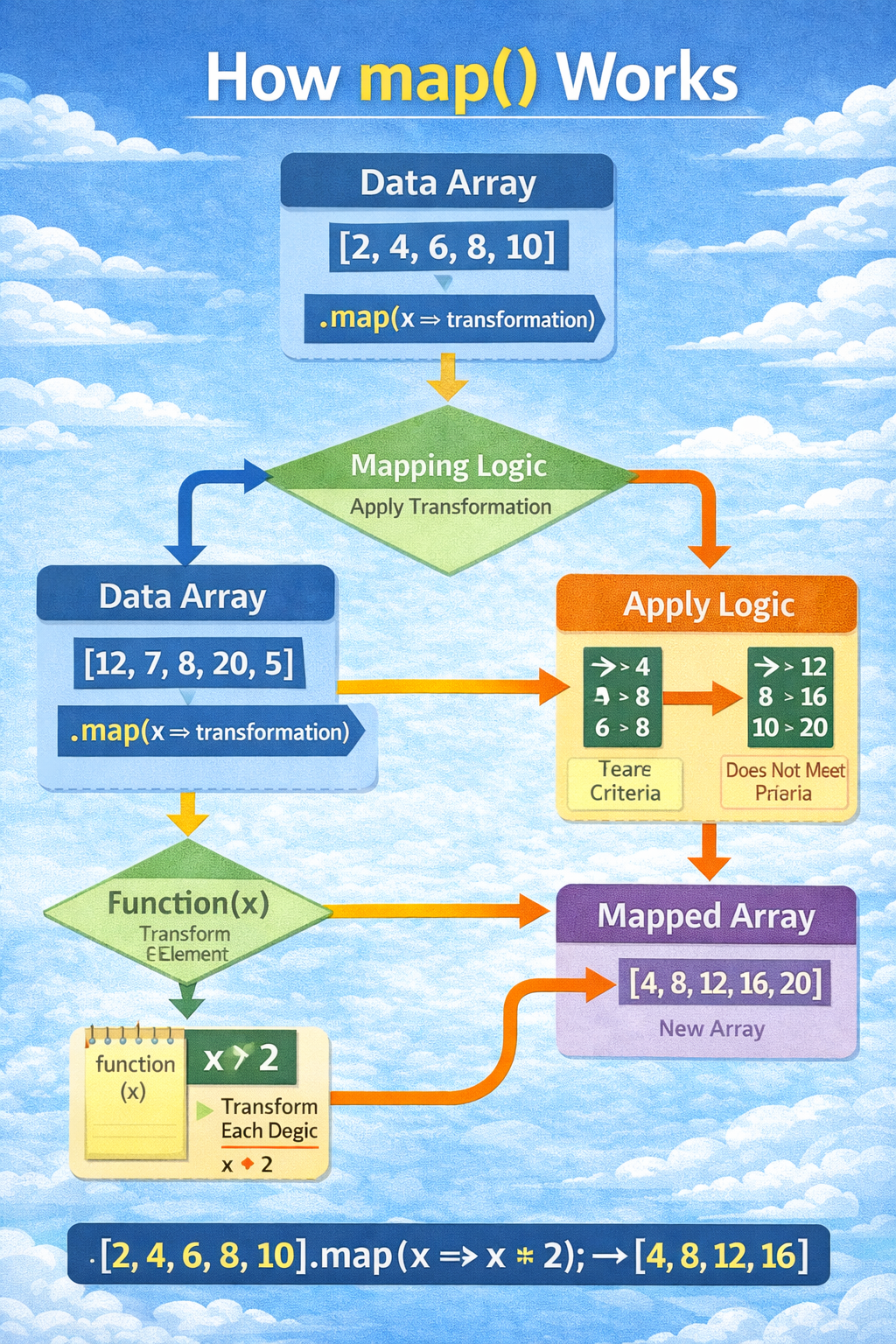
map() creates a new array by transforming each element.
It is very useful when you want to modify every element of an array.
Before:
let numbers = [1, 2, 3, 4];
Code:
let doubled = numbers.map(function(num) {
  return num * 2;
});
After:
numbers = [1, 2, 3, 4]
doubled = [2, 4, 6, 8]
Notice that the original array remains unchanged and a new array is created.
Traditional for loop vs map()
Using a traditional for loop:
let numbers = [1,2,3,4];
let doubled = [];

for(let i = 0; i < numbers.length; i++){
  doubled.push(numbers[i] * 2);
}
Using map():
let numbers = [1,2,3,4];

let doubled = numbers.map(function(num){
  return num * 2;
});
The map() version is shorter, cleaner, and easier to read.
filter()
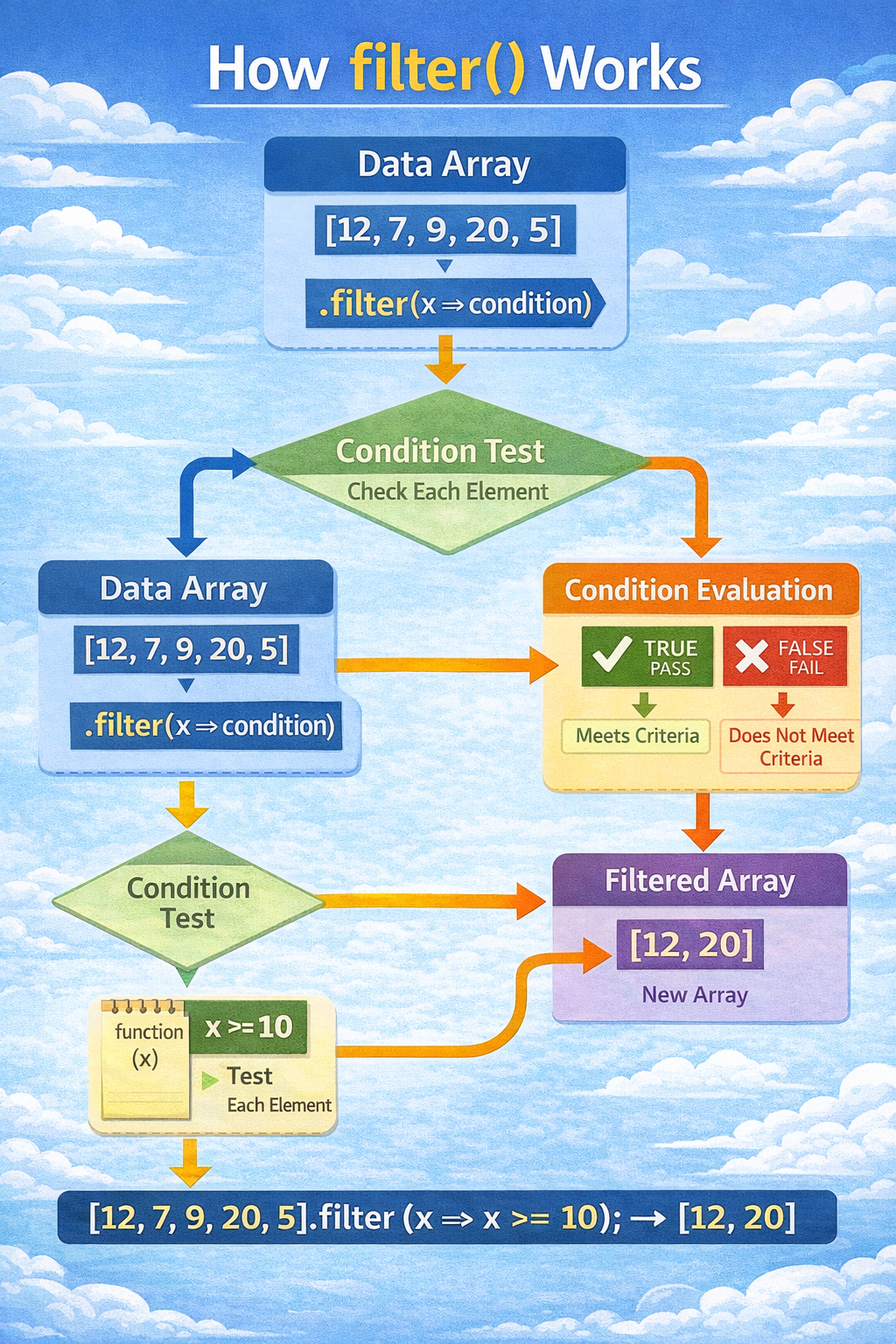
filter() creates a new array containing only the elements that match a condition.
Before:
let numbers = [5, 10, 15, 20];
Code:
let result = numbers.filter(function(num){
  return num > 10;
});
After:
numbers = [5, 10, 15, 20]
result = [15, 20]
Only numbers greater than 10 remain.
Traditional for loop vs filter()
Using a for loop:
let numbers = [5,10,15,20];
let result = [];

for(let i = 0; i < numbers.length; i++){
  if(numbers[i] > 10){
    result.push(numbers[i]);
  }
}
Using filter():
let result = numbers.filter(function(num){
  return num > 10;
});
Again, filter() is much cleaner.
reduce() (Beginner Explanation)
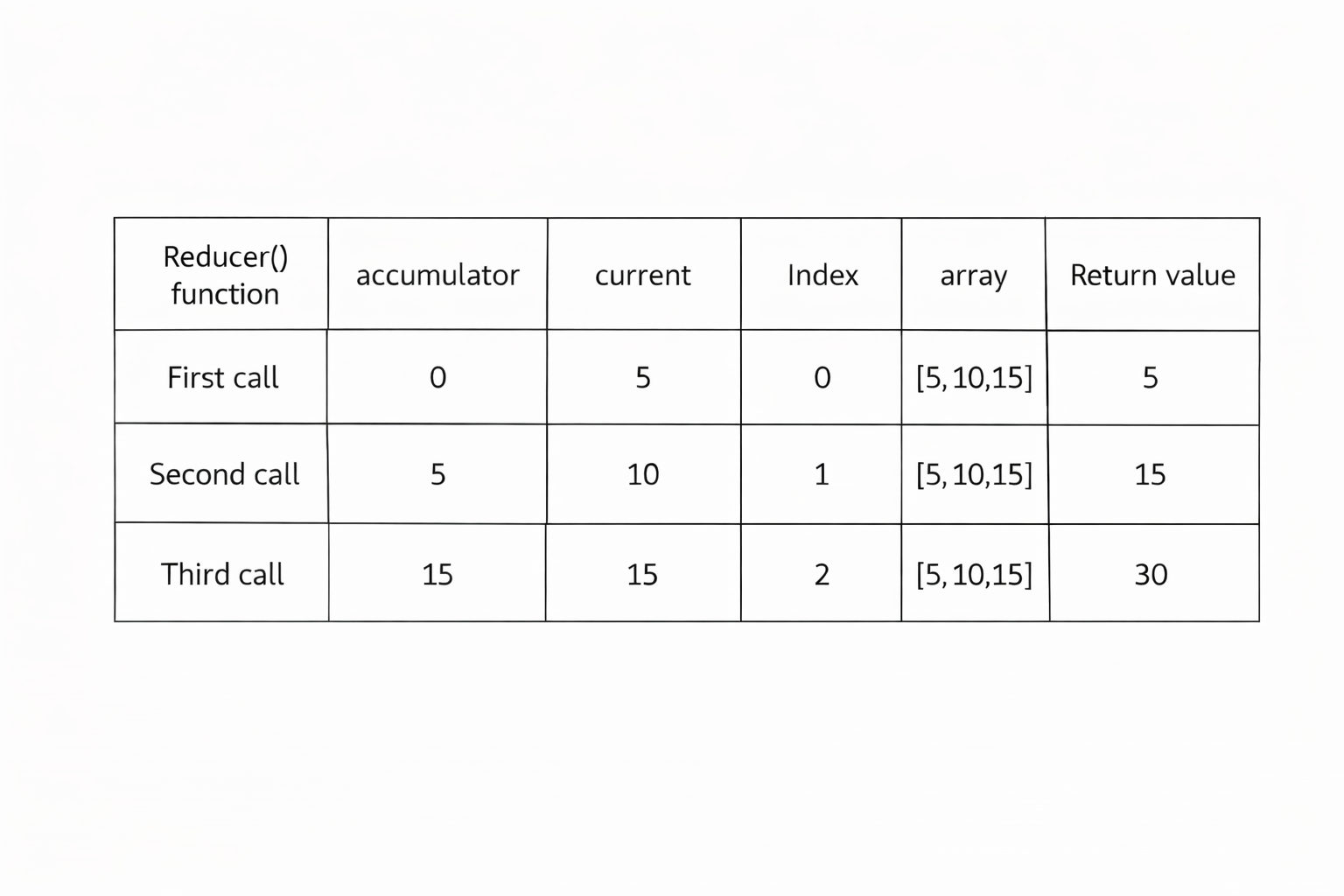
reduce() is used to combine all elements of an array into a single value.
That value could be:
a sum
an average
an object
a string
For beginners, the most common use case is calculating a total sum.
Before:
let numbers = [5, 10, 15];
Code:
let total = numbers.reduce(function(accumulator, current){
  return accumulator + current;
}, 0);
After:
total = 30
Explanation:
accumulatorkeeps the running totalcurrentrepresents the current element
Step-by-step calculation:
0 + 5 = 5
5 + 10 = 15
15 + 15 = 30
Final result = 30
Try These Examples in Your Console
The best way to learn JavaScript is to experiment.
Open your browser console and try these examples. Change the numbers, add new elements, and observe how the output changes.
Practice will make these methods feel natural.
Practice Task :
Create an array of numbers and apply the following methods.
Step 1 – Create an array
let numbers = [2, 5, 8, 12, 20];
Step 2 – Use map() to double each number
let doubled = numbers.map(function(num){
  return num * 2;
});
Expected result:
[4, 10, 16, 24, 40]
Step 3 – Use filter() to get numbers greater than 10
let greaterThanTen = numbers.filter(function(num){
  return num > 10;
});
Expected result:
[12, 20]
Step 4 – Use reduce() to calculate the total sum
let total = numbers.reduce(function(acc, num){
  return acc + num;
}, 0);
Expected result:
47
Final Thoughts :
JavaScript array methods like map(), filter(), and reduce() make code cleaner and easier to read compared to traditional loops.
As a beginner, focus on understanding:
When to use
map()When to use
filter()When to use
reduce()When
forEach()is enough
Avoid chaining methods at the beginning. First understand each method individually by trying examples in the console.
Once you are comfortable with them, you will notice that writing JavaScript becomes much faster and more expressive.
About the author
Aspiring Full Stack MERN Developer & DSA Enthusiast | Passionate about coding, problem-solving, and scalable web applications | Turning ideas into reality | JavaScript, React, Node.js — learning by building real-world projects 🚀
Comments
Join the discussionNo comments yet. Be the first to comment.


